BANK CARD ON OFF is a mobile application and, above all, preventive protection of card transactions

Helps the Bank prevent fraud transactions and provide its clients with complete control and prevention on all card transactions, transaction monitoring and alerts. BANK CARD ON OFF enables the cardholder to independently and proactively manage 24h / 365 with all their cards without restriction - debit, prepaid and credit cards using only the app on their smartphone. BANK CARD ON OFF allows you to set the desired parameters for card control, receive real-time alerts, and respond to fraud alerts.

Get app now
Registration

BANK CARD ON OFF operates with all types of bank cards.

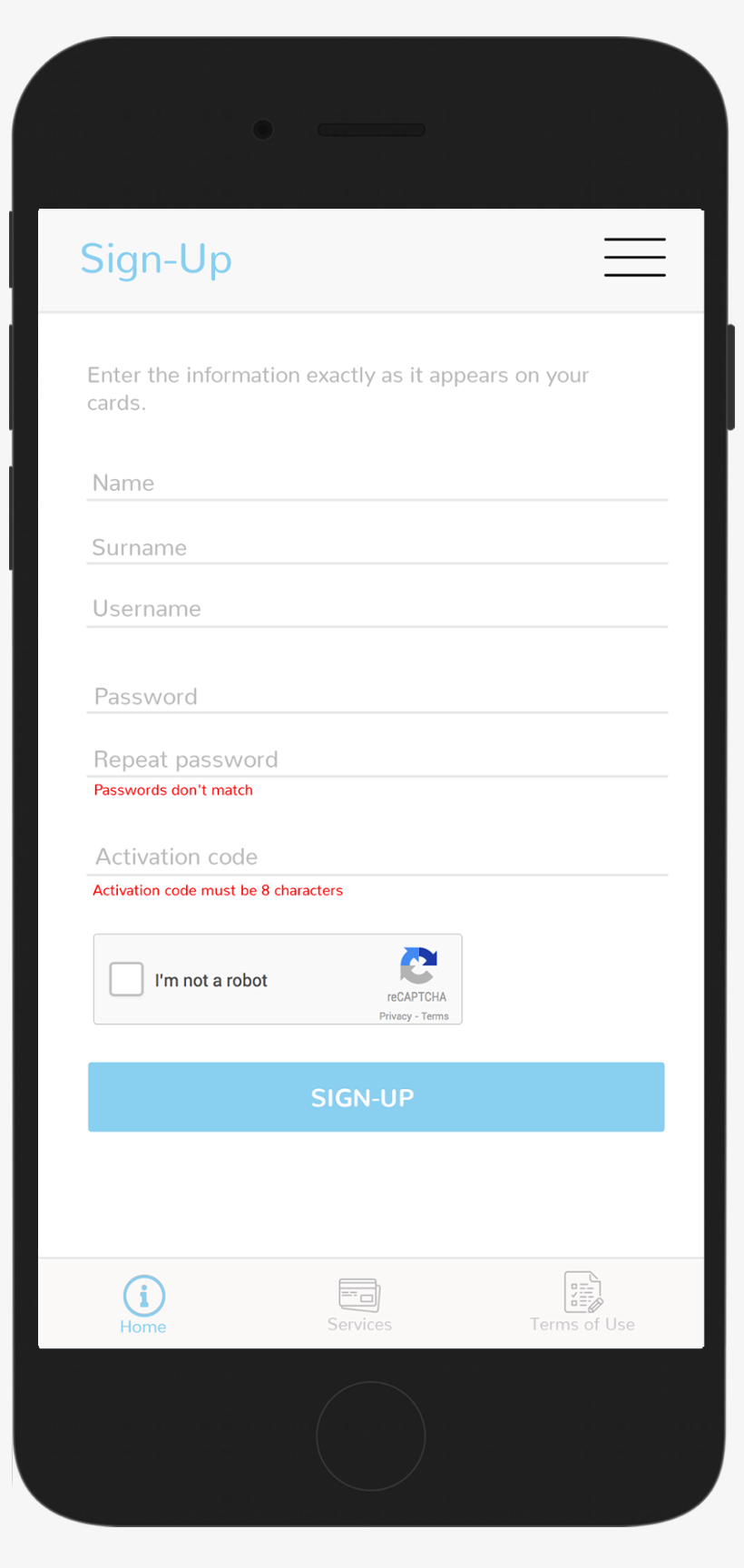
When entering a new card, fill the form with the information given on the card. Username and password also has to be set. It has to be done only once, during registration process.


Registration is finished with the activation of Google Captcha screen, for the security purposes. If application is not used for a while Google Captcha screen has to be activated again.


Manage all your cards in one place

With only one finger swipe you are (dis)enabling any transaction with one or all your cards. If you prefer to set your own usage preferences for every card it could be done according to:


  • geographical location
  • time of use
  • enable/disable ATM cash withdrawal
  • enable/disable payments in shops and restaurants (POS)
  • enable/disable internet payments
  • setting limits per transactions


All transactions for every card are recorded in the application and could be viewed and searched in the Transaction list menu.


Finally, for each card option user can set to receive alerts. Alerts will be sent if any breaking-rule attempt is registrated related with the payment method, time, location, or exceeds the approved limit.

Main menu

In the Main menu you are able to configure:


  • The status of the selected card (On/Off) allows to enable or disable each card
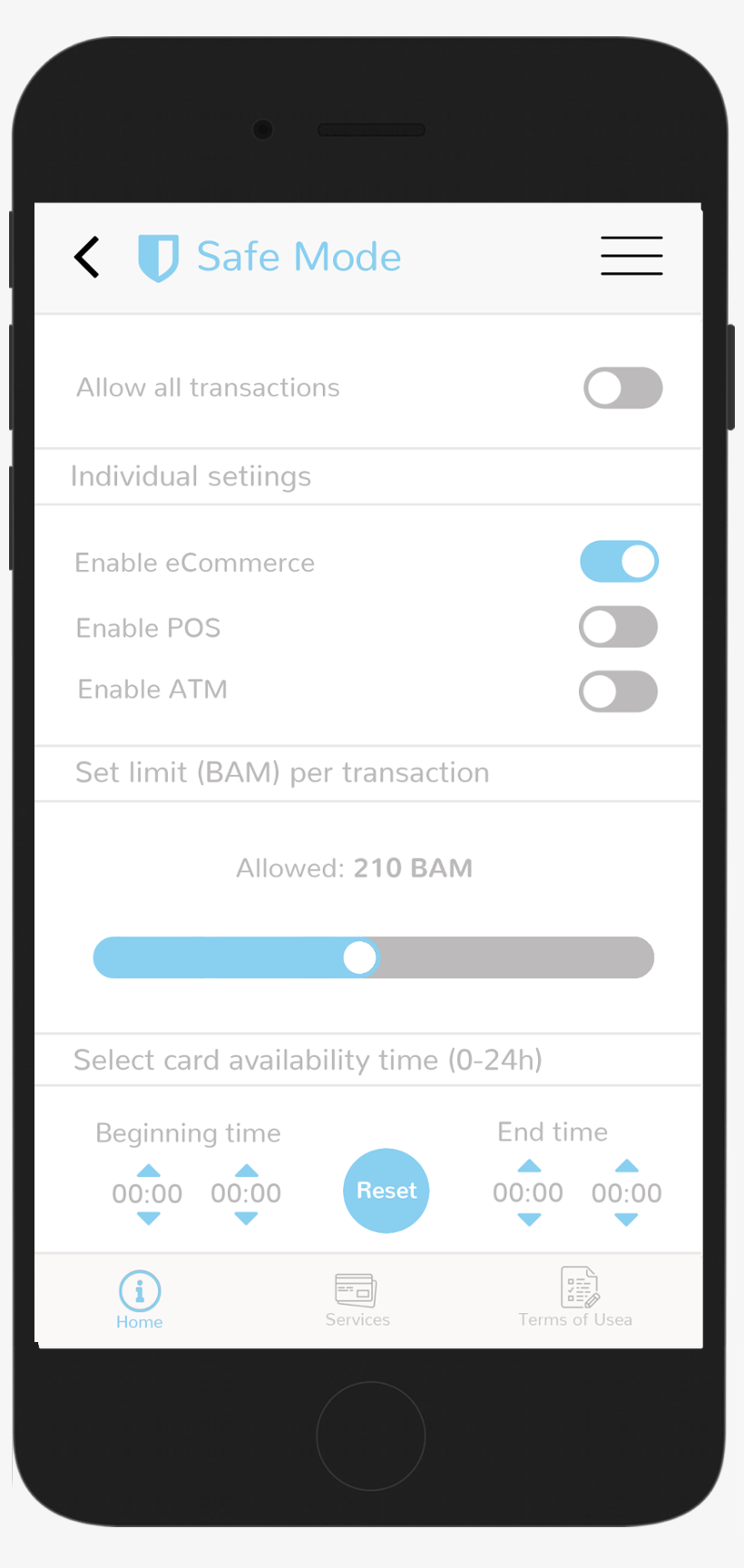
  • Safe mode allows you to control transactions on different channels, set limits on transactions, as well as the period of use.
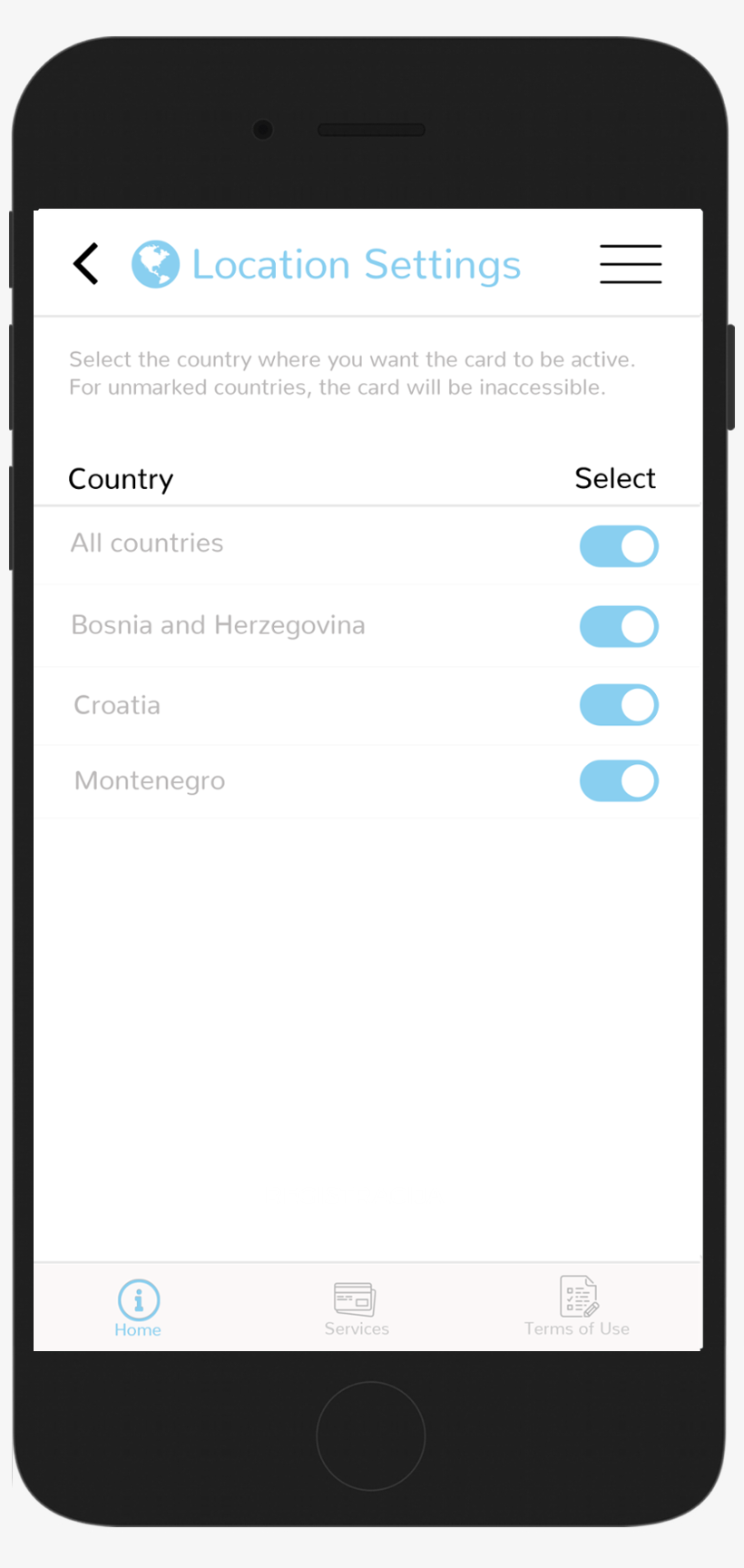
  • Location settings sets transactions control based on geographical location
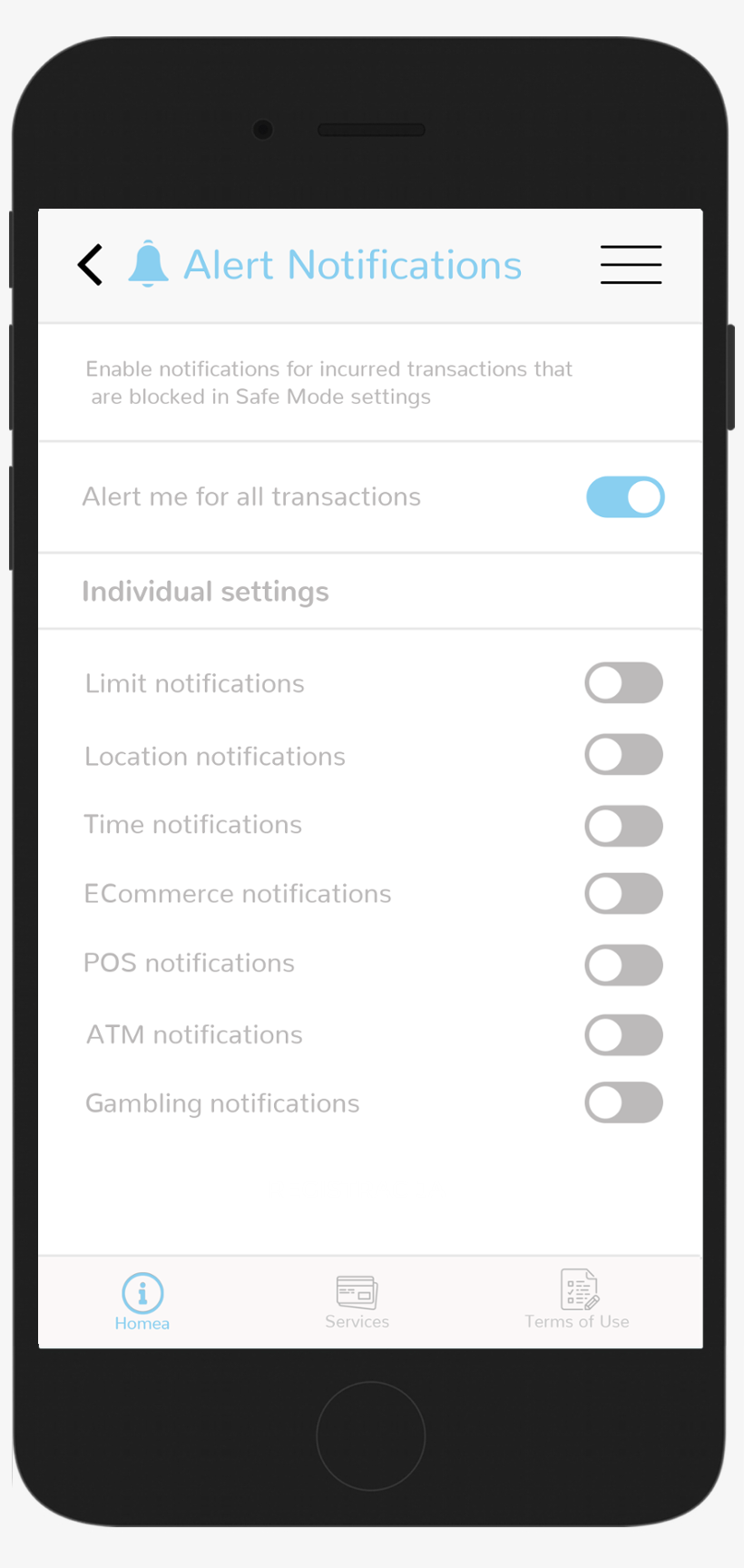
  • Alert settings allows clients to manage notifications for specific transaction types
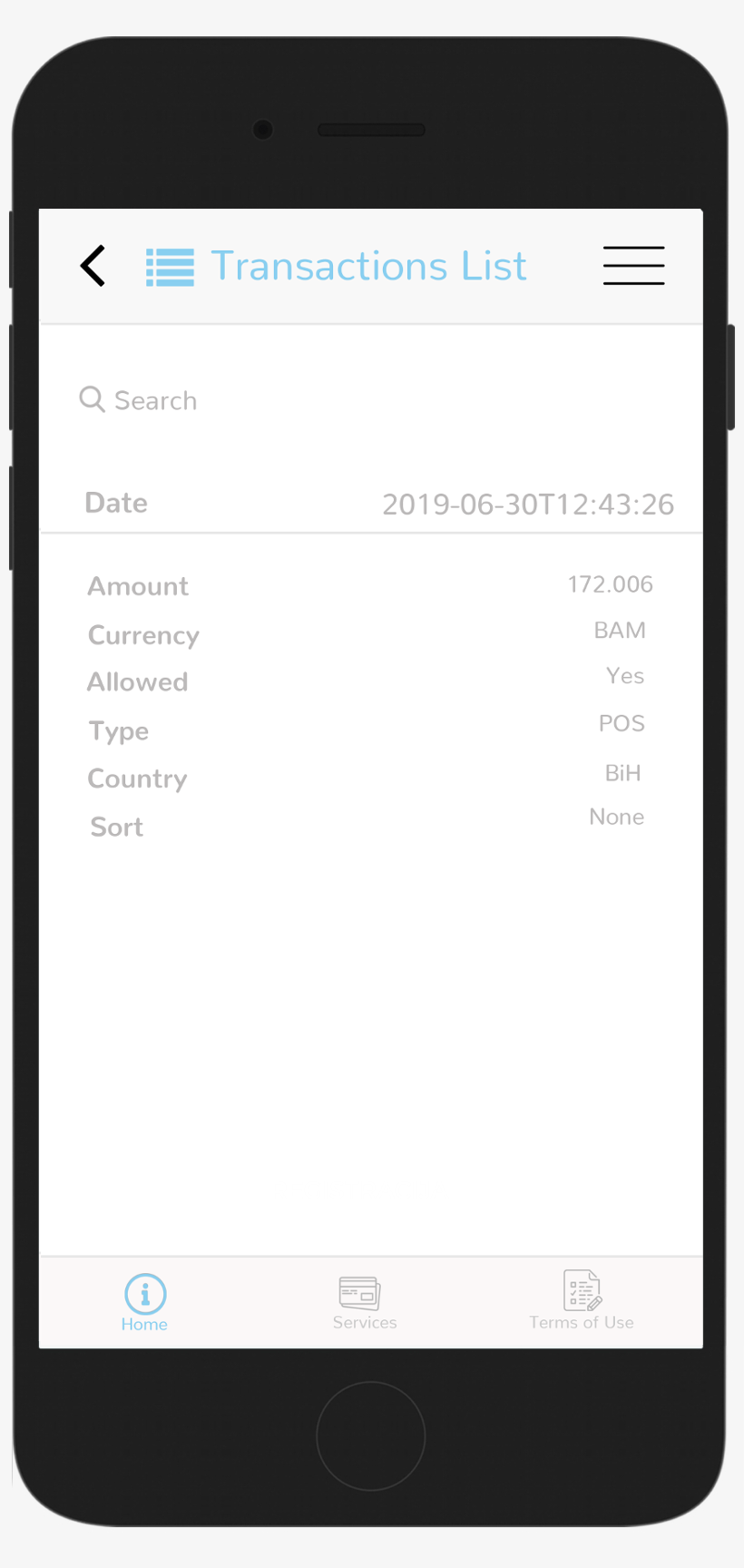
  • Transaction list contains a searchable overview of all transactions with transaction details

Location settings

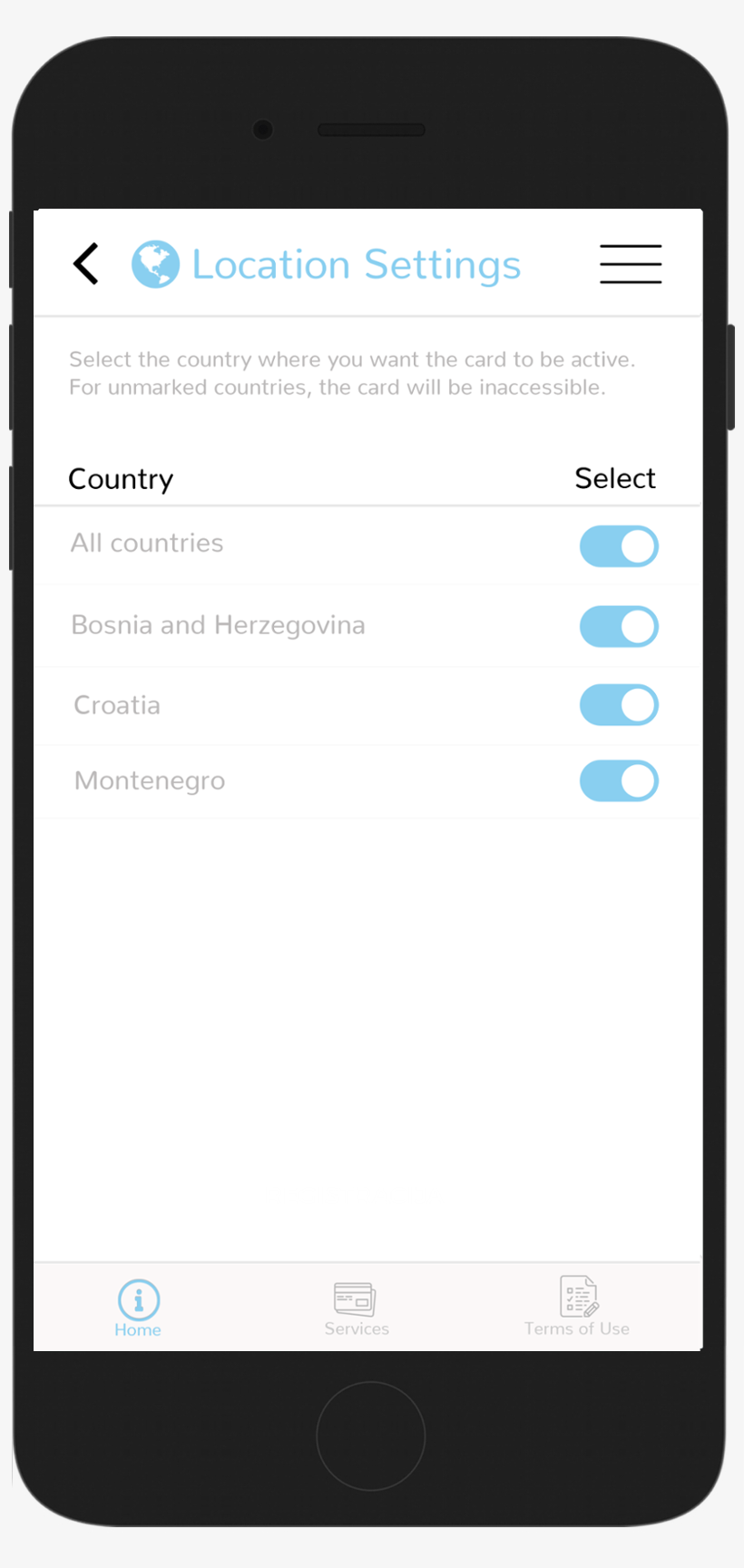
This menu enables you to select the countries in which the card will be active. The card will be disabled outside approved locations. If All States option has been choosed, the card will operate with out geografic boundaries. 

Registration

BANK CARD ON OFF operates with all types of bank cards.

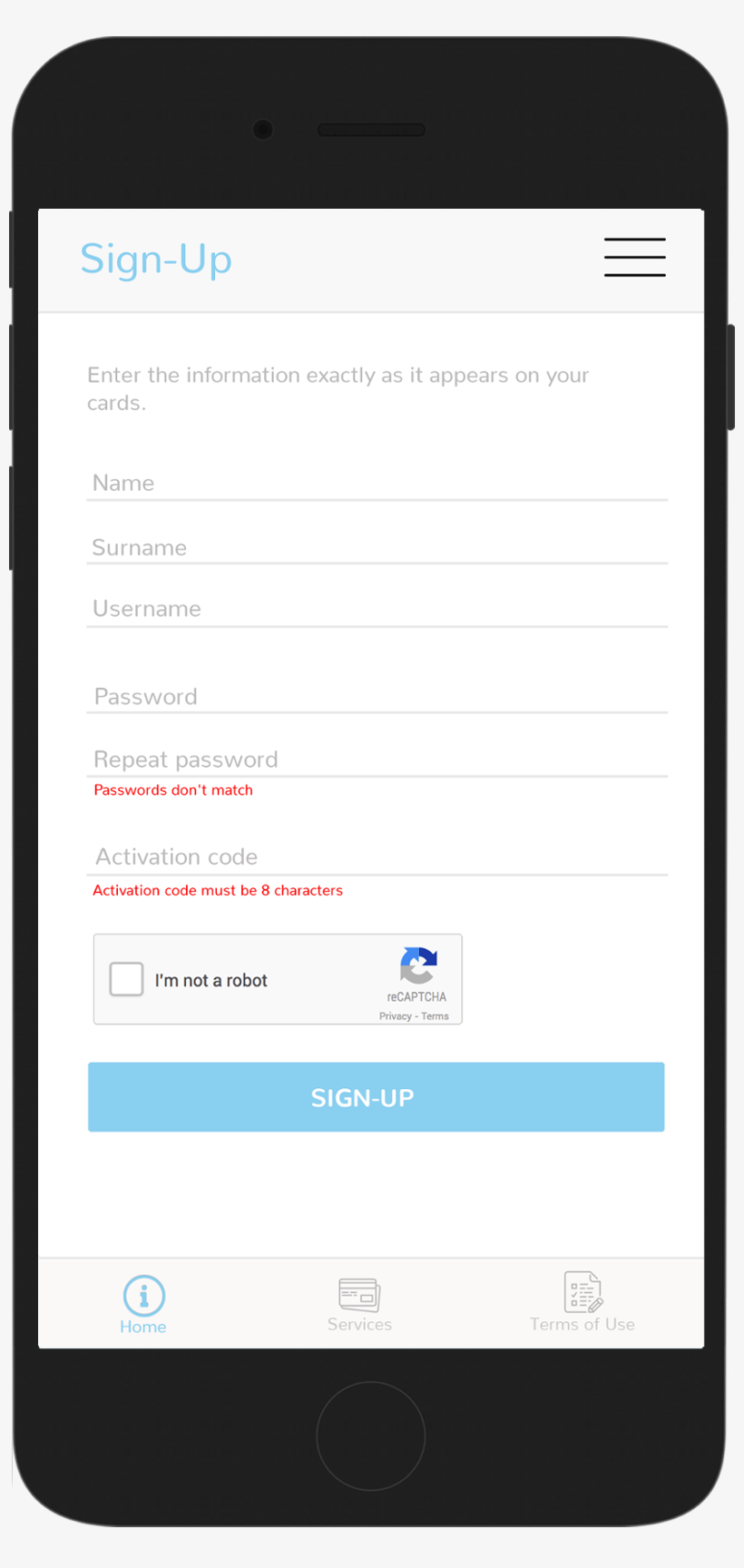
When entering a new card, fill the form with the information given on the card. Username and password also has to be set. It has to be done only once, during registration process.


Registration is finished with the activation of Google Captcha screen, for the security purposes. If application is not used for a while Google Captcha screen has to be activated again.

Manage all your cards in one place

With only one finger swipe you are (dis)enabling any transaction with one or all your cards. If you prefer to set your own usage preferences for every card it could be done according to:


  • - geographical location
  • - time of use
  • - enable/disable ATM cash withdrawal
  • - enable/disable payments in shops and restaurants (POS)
  • - enable/disable internet payments
  • - setting limits per transactions

All transactions for every card are recorded in the application and could be viewed and searched in the Transaction list menu.


Finally, for each card option user can set to receive alerts. Alerts will be sent if any breaking-rule attempt is registrated related with the payment method, time, location, or exceeds the approved limit.

Main menu

In the Main menu you are able to configure:


  • - The status of the selected card (On/Off) allows to enable or disable each card
  • - Safe mode allows you to control transactions on different channels, set limits on transactions, as well as the period of use.
  • - Location settings sets transactions control based on geographical location
  • - Alert settings allows clients to manage notifications for specific transaction types
  • - Transaction list contains a searchable overview of all transactions with transaction details

Location settings

This menu enables you to select the countries in which the card will be active. The card will be disabled outside approved locations. If All States option has been choosed, the card will operate with out geografic boundaries.
Safe mode

Quick and easy, with one swipe of a finger, you lock your card or approve all transactions without compromising previously configured options.


This menu grants possibility to change existing settings by location, payment channel (ATM, POS, eCommerce), set a transaction or time limit.

Alerts

Selecting the Alert Settings, simply on the On/Off principle you choose to receive alerts for:


  • - All Transactions (On/Off)
  • - Attempts to exceed the set limit per transaction
  • - Transactions attempted from non-enabled countries in the Location Settings menu
  • - Transactions attempted outside the time period allowed for transactions
  • - Internet payment attempts (E-commerce)
  • - Attempts to make payments at stores and restaurants (POS devices)
  • - Attempts to withdraw cash at ATMs
  • - Trying to gamble online

Transactions List

Selecting "Transactions" allows the user to view, browse and search all transactions made with any card.